Enter an ASIN or URL
Choose the Amazon listing you are authorized to review and confirm the marketplace context.
Listing Content & Quality
Audit an existing Amazon listing and prepare focused improvements
Enter an Amazon ASIN or product URL to review listing structure, content quality, keyword coverage, and image guidance, then prepare revised copy for seller approval.
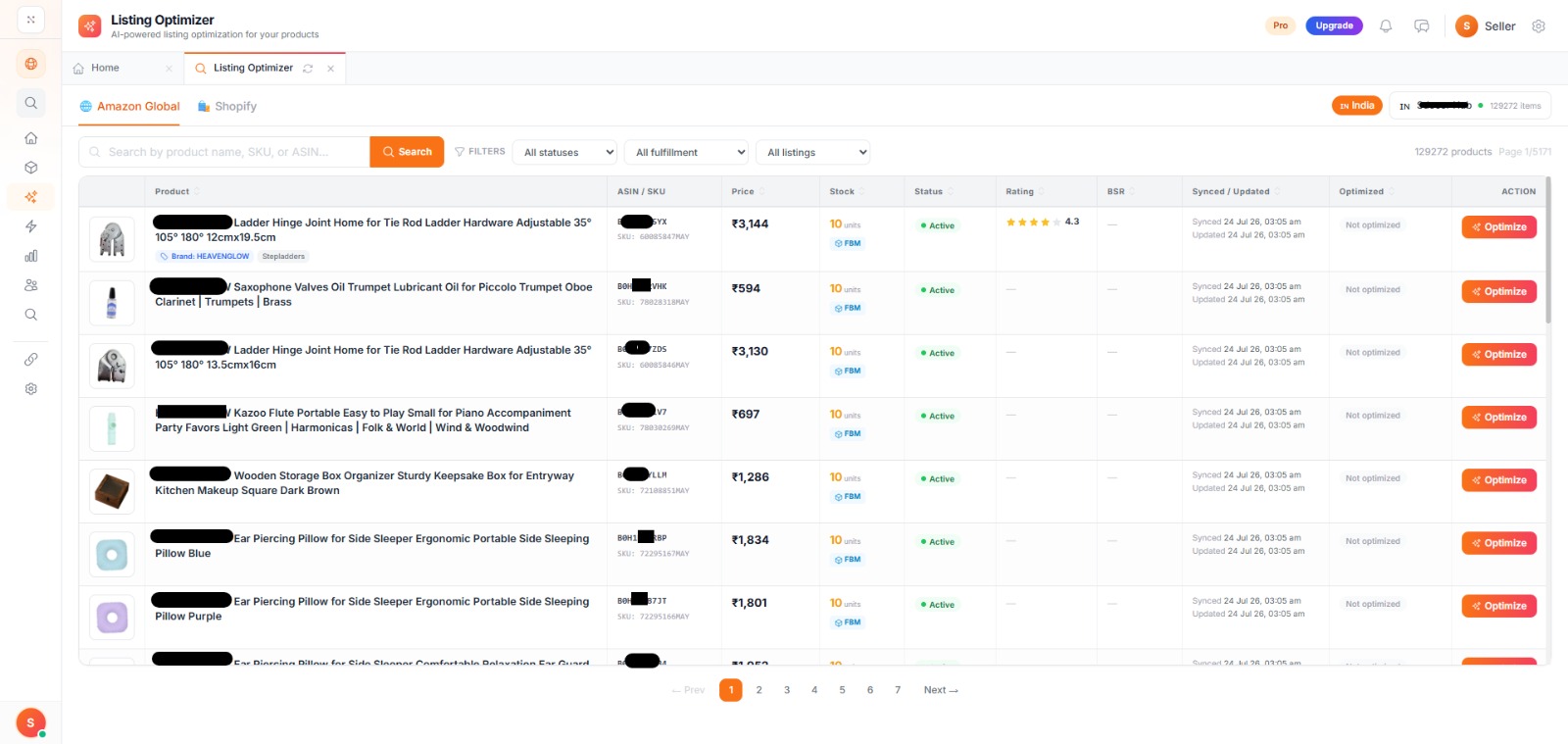
Inside the seller panel
This product screenshot shows the authenticated AI Listers workspace. Available fields and data depend on plan, marketplace, connection, and granted permissions.
Seller outcomes
Use the service to make a specific workflow clearer and more repeatable—not to replace product knowledge or seller judgment.
Structured review of title, bullets, description, and images
Listing-quality score with section-level context
Keyword coverage and content-gap guidance
Revised title, bullet, and description drafts
Visible recommendations for seller review
Saved workflow inside the authenticated seller panel
Workflow
A clear three-stage process keeps the source information, AI-assisted work, and final review easy to understand.
Choose the Amazon listing you are authorized to review and confirm the marketplace context.
Inspect the listing score, section findings, keyword coverage, and content recommendations.
Edit and verify revised copy before using it in your Amazon listing workflow.
Capabilities
Each capability supports a defined part of the service so your team can understand what to use and what to verify.
Review title, bullets, description, image guidance, and keyword coverage in one workflow.
See where the current listing is stronger and where additional attention may help.
Prepare revised titles, bullets, and descriptions from verified product information.
Identify relevant terms that may be missing from the current content plan.
Review image roles and presentation considerations alongside the listing copy.
Keep final fact checking, compliance review, and publishing decisions with your team.
Generated content and quality scores are planning aids. Verify every product fact, keyword, claim, and marketplace requirement before publishing.
Feature access and live data can vary by plan, marketplace, connected account, and granted permissions.
Service questions
Accurate product specifications, differentiators, and source material A target marketplace, customer, and content objective Seller review for factual claims, keywords, and marketplace compliance
AI Listers provides drafts, analysis, estimates, or workflow guidance according to the service. Your team remains responsible for reviewing outputs, confirming product facts, and deciding what is ready to publish or use.
Generated content and quality scores are planning aids. Verify every product fact, keyword, claim, and marketplace requirement before publishing.
Continue the workflow with services that complement Listing Optimizer.
Next step
Start with accurate source information, review the service output, and decide what is ready for your marketplace workflow.
No credit card required for the Free Starter plan. Service availability and usage limits vary.